Last War: Survival
Хаб косметики
Просматривайте косметику по типам инвентаря без смешивания обликов базы, наград профиля, элементов чата, стикеров и социальных подарков.
Категории галереи
Коллекции косметики
9 точных групп с текущими счетчиками галереи.
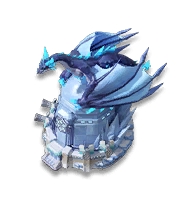
Скины базы
Full base looks from seasons, events, and competition rewards.
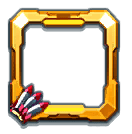
Рамки аватара
Profile border frames for seasons, events, and leaderboard placements.

Таблички имени
Title tag designs shown below player names across profiles and views.

Особые эффекты
World map visual effects that add particles, glow, and event styling around a base.
Гайд по декорациям
Base decorations with official names, tile sizes, max levels, and decoded max-level buffs.
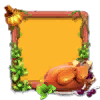
Пузыри чата
Message frames for world chat, alliance chat, and event themed collections.

Эмодзи
Standard numbered emojis plus special icons unlocked through events and packs.

Стикеры
Static and animated sticker sets for chat reactions and champion collections.

Подарки
Sendable flowers, rockets, crowns, and seasonal social gift items.
Where do I find Last War cosmetics?
Use the Cosmetics hub to jump to Base Skins, Avatar Frames, Nameplates, Special Effects, Chat Bubbles, Emojis, Stickers, Gifts, and VIP 18 skins.
- Route logic
- Cosmetic route = cosmetic type + matching gallery page + localized asset grid.
- Evidence model
- cosmetics route index and gallery data
- Pick the visual category first.
- Open the matching gallery page.
- Use the item cards to compare names, visuals, quality, season notes, and decoded buff chips when available.
The hub is a navigation page, not a calculator. Individual item availability still depends on in-game events, packs, VIP status, or season rewards.
| Need | Используйте |
|---|---|
| Profile visuals | Avatar Frames, Nameplates |
| Chat visuals | Chat Bubbles, Emojis, Stickers |
| Base visuals | Base Skins, Special Effects, VIP 18 Skins |
Worked example: use Avatar Frames for border cosmetics and Nameplates for profile-name display items.