Last War: Survival
外觀中心
依庫存類型瀏覽外觀,不混合基地外觀、個人資料獎勵、聊天資源、貼圖和社交禮物。
圖庫分類
外觀收藏
9 個分類,包含目前圖庫數量。
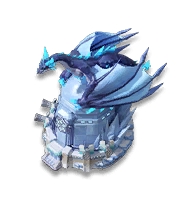
基地造型
Full base looks from seasons, events, and competition rewards.
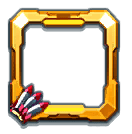
頭像框
Profile border frames for seasons, events, and leaderboard placements.

名牌
Title tag designs shown below player names across profiles and views.
特殊效果
World map visual effects that add particles, glow, and event styling around a base.
裝飾指南
Base decorations with official names, tile sizes, max levels, and decoded max-level buffs.
聊天氣泡
Message frames for world chat, alliance chat, and event themed collections.

表情
Standard numbered emojis plus special icons unlocked through events and packs.

貼圖
Static and animated sticker sets for chat reactions and champion collections.

禮物
Sendable flowers, rockets, crowns, and seasonal social gift items.
Where do I find Last War cosmetics?
Use the Cosmetics hub to jump to Base Skins, Avatar Frames, Nameplates, Special Effects, Chat Bubbles, Emojis, Stickers, Gifts, and VIP 18 skins.
- Route logic
- Cosmetic route = cosmetic type + matching gallery page + localized asset grid.
- Evidence model
- cosmetics route index and gallery data
- Pick the visual category first.
- Open the matching gallery page.
- Use the item cards to compare names, visuals, quality, season notes, and decoded buff chips when available.
The hub is a navigation page, not a calculator. Individual item availability still depends on in-game events, packs, VIP status, or season rewards.
| Need | 自訂地圖規劃器: 地圖. |
|---|---|
| Profile visuals | Avatar Frames, Nameplates |
| Chat visuals | Chat Bubbles, Emojis, Stickers |
| Base visuals | Base Skins, Special Effects, VIP 18 Skins |
Worked example: use Avatar Frames for border cosmetics and Nameplates for profile-name display items.