Last War: Survival
Desert Storm Planner
Plan the Desert Storm fight from phone or desktop: keep the canvas clean, assign G groups to key buildings, paste names and export a readable briefing.
Use Desert Storm Planner as a match briefing board: keep the quarry map clean, assign G groups to buildings, paste player names, and export a large readable image with roster cards above the map.
Set up the board
1 Pick your side, name both alliances, and use the seeded building layout as the official planning base.
Mobile workflow
1 Stay in Pan mode while checking the map. Open Map Tools only to change team names, marker size, grid or Live Collaboration.
2 Use Groups & Export for formations. Paste names separated by commas or lines, or type names directly inside any G card such as Hospital, Oil Refinery or Science Hub.
3 Drag player chips between G blocks when officers adjust the plan. Before Export Picture, use the export checkboxes to hide roster cards, colored G tags or zone overlays when you need a cleaner image.
Objective guide
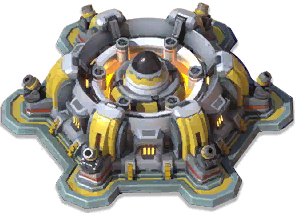 Nuclear Silo80 pts/sec. Unlocks at minute 10 and decides the center fight.
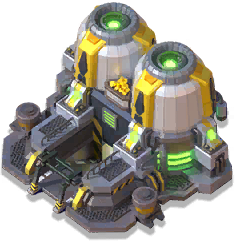 Oil Refineries20 pts/sec. Early points and flank pressure.
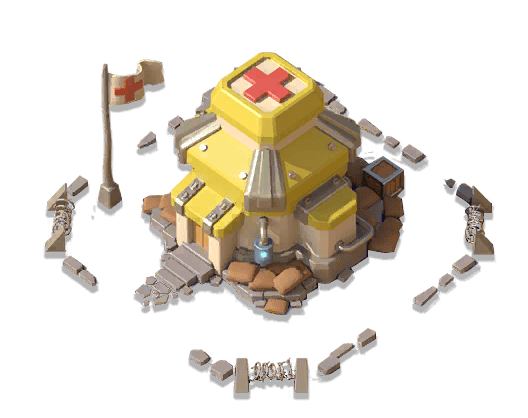 Field HospitalsHeal 15 troops every 10s. Keep medium-power squads alive.
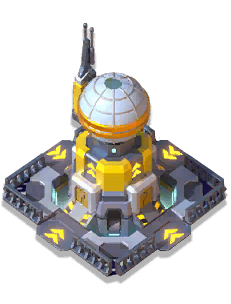 Science HubReduces teleport cooldown by 50 percent.
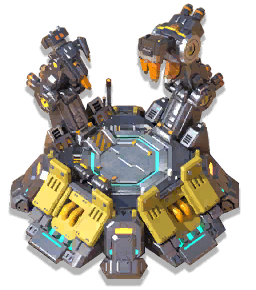 Command CenterCentral rally anchor for the main strike group.
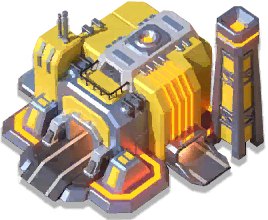 Mercenary FactoryRear support objective for second-wave squads.
Share and export
1 Live Collaboration creates a shared link so officers can edit the same Desert Storm board in real time. Add an optional password when only your officer group should open it.
2 Image export uses the current G formation, player names and building assignments. The image never prints the collaboration link or password, and optional export checkboxes control roster cards, colored G tags and zones.
Tip: Keep G12 for mobile squads or roamers. Use the colored G cards to match each building group with the same color on the map.
Invite your alliance with a shared link. Add a password if only officers should edit it.
Quick answer
Desert Storm Planner
What does the Desert Storm Planner export?
It exports the current Desert Storm canvas with map skin, building placements, group assignments, plan name, and dracgon.tech branding.
Formula
Image export = current canvas state + visible group roster + plan metadata.
Calculation method
- Place or adjust objectives.
- Assign G groups and player names.
- Export the visible briefing image.
Limits
Map coordinates and planner presets are maintained from available game data and manual checks; live server diplomacy and alliance rules still need human confirmation.